Describe a song. Hear it in seconds. Keep it forever.
The offline AI music generator that lives on your desktop
Music, transmuted.
Describe a song in plain words. AnalogAlchemy turns them into gold — generated, stemmed, remixed and refined entirely on your machine.
Every great song begins as base matter — a feeling, a phrase, a hum in the dark. Alchemists spent lifetimes turning lead into gold. You have a text box, an orbit of tags, and a machine that listens. The lab is open.
Text-to-song AI generation — speak it into gold.
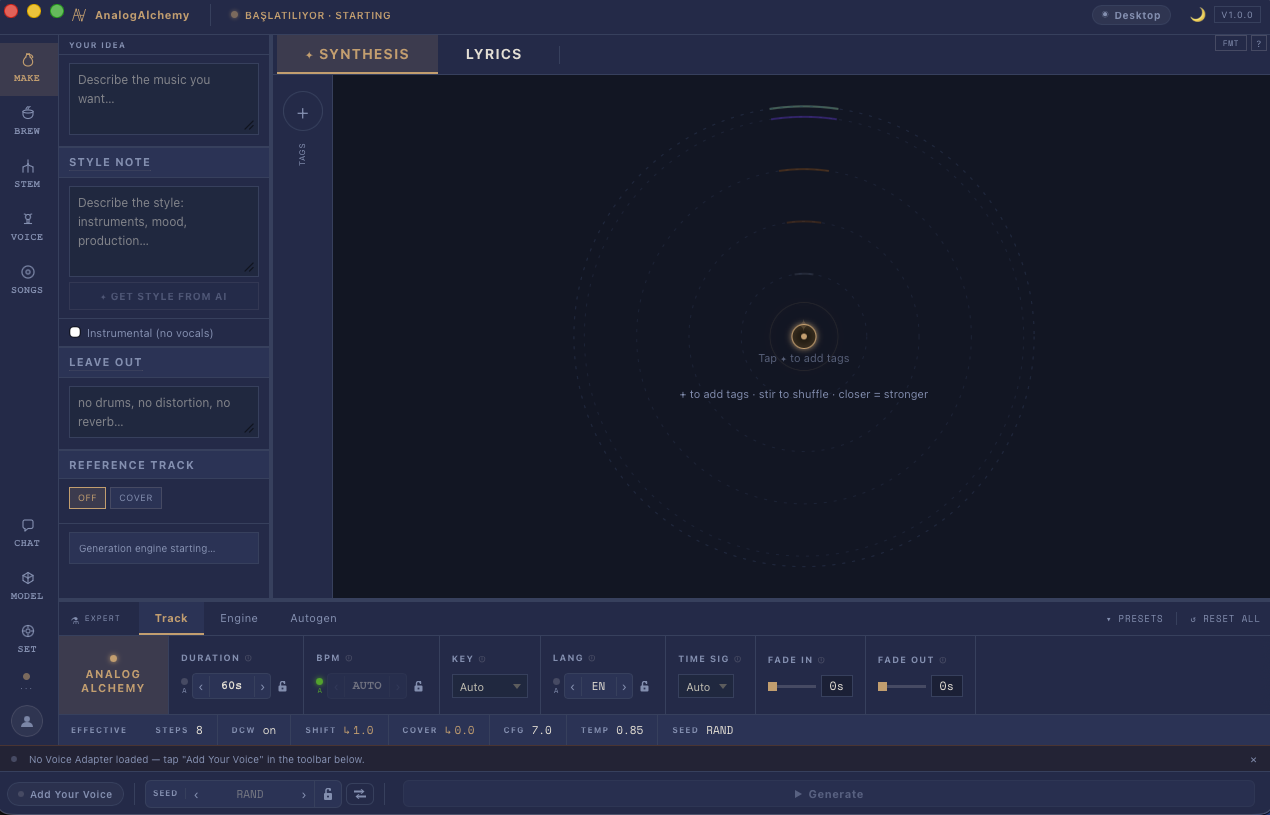
Type the music you hear in your head. Pull genres, moods and instruments into the tag orbit — stir to shuffle, drag closer for a stronger pull.
- ◆ SYNTHESIS & LYRICS — full songs or instrumentals, any language
- ◆ STYLE FROM AI — one tap expands your idea into a producer's brief
- ◆ EXPERT DECK — BPM · key · time sig · CFG · temp · seed · steps
- ◆ REFERENCE TRACK — cover an existing song in a new skin
One song — “Dream a Little Dream of Me” — reimagined across four genres. Same lyrics, four worlds.
One style prompt, three settings — only the key and tempo changed.
AI remix, repaint and morph any track.
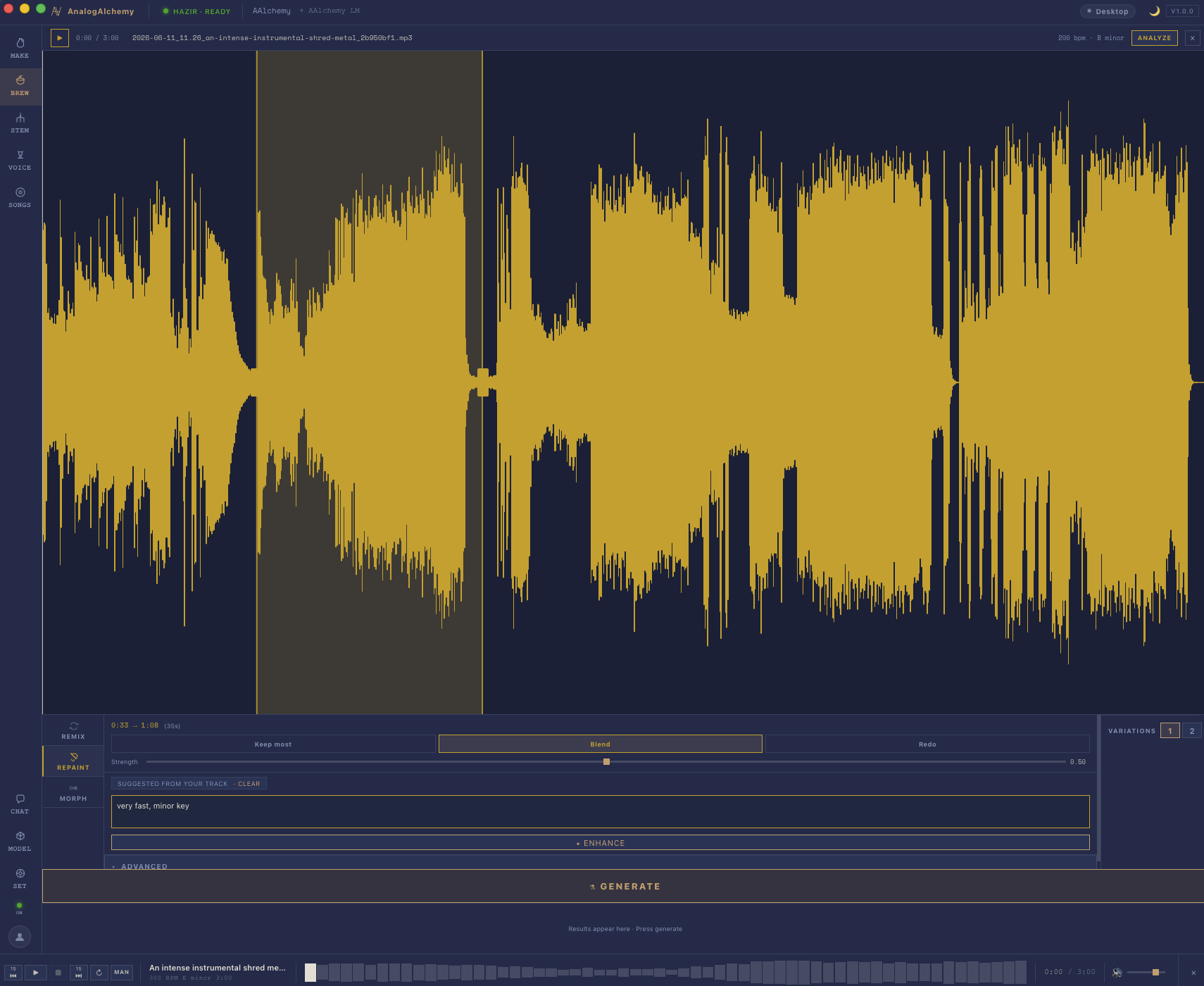
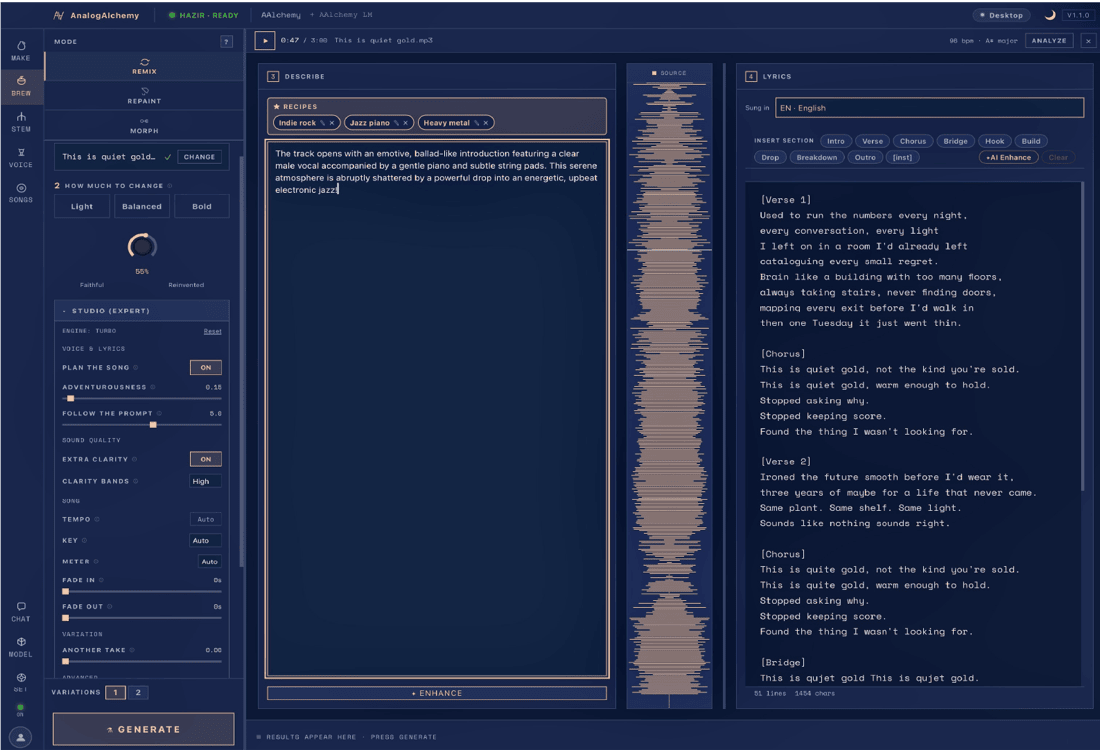
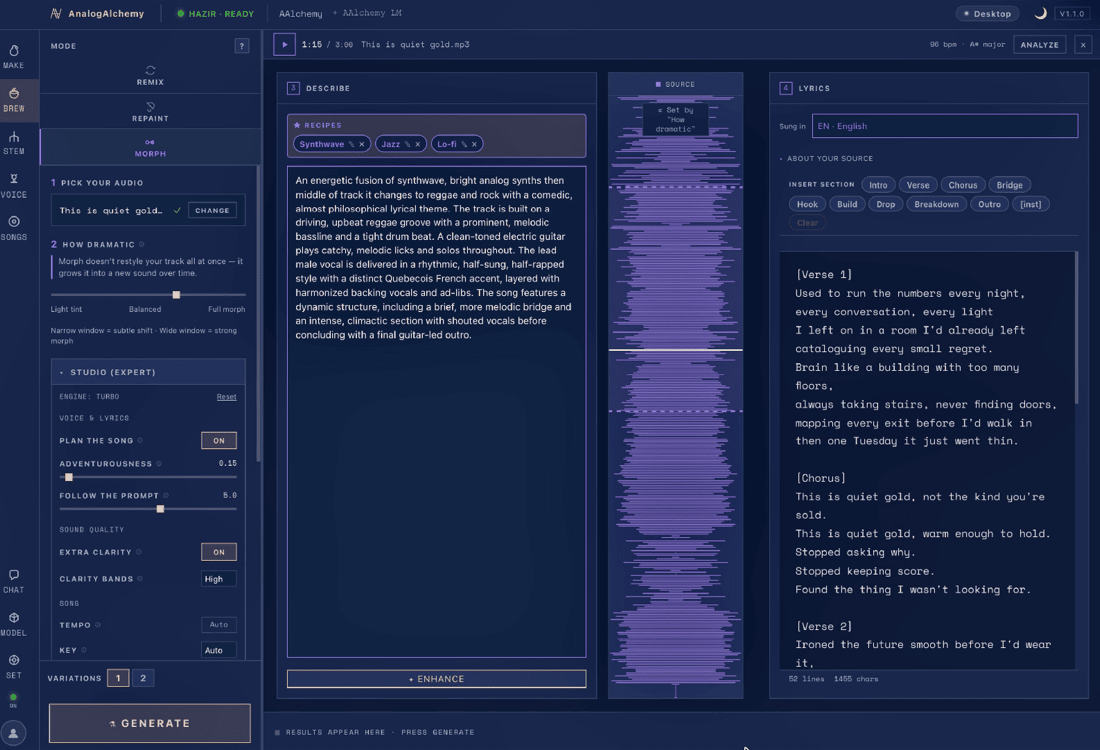
Don't regenerate the whole song because one bridge is wrong. Paint a region of the waveform and rewrite just those seconds — keep most, blend, or redo it entirely.
- ◆ REMIX — subtle, medium or wild reinterpretations
- ◆ REPAINT — surgical inpainting from 0:54 → 2:06
- ◆ MORPH — melt one track into another
- ◆ DIRECTION — "very fast, minor key" is a valid instruction
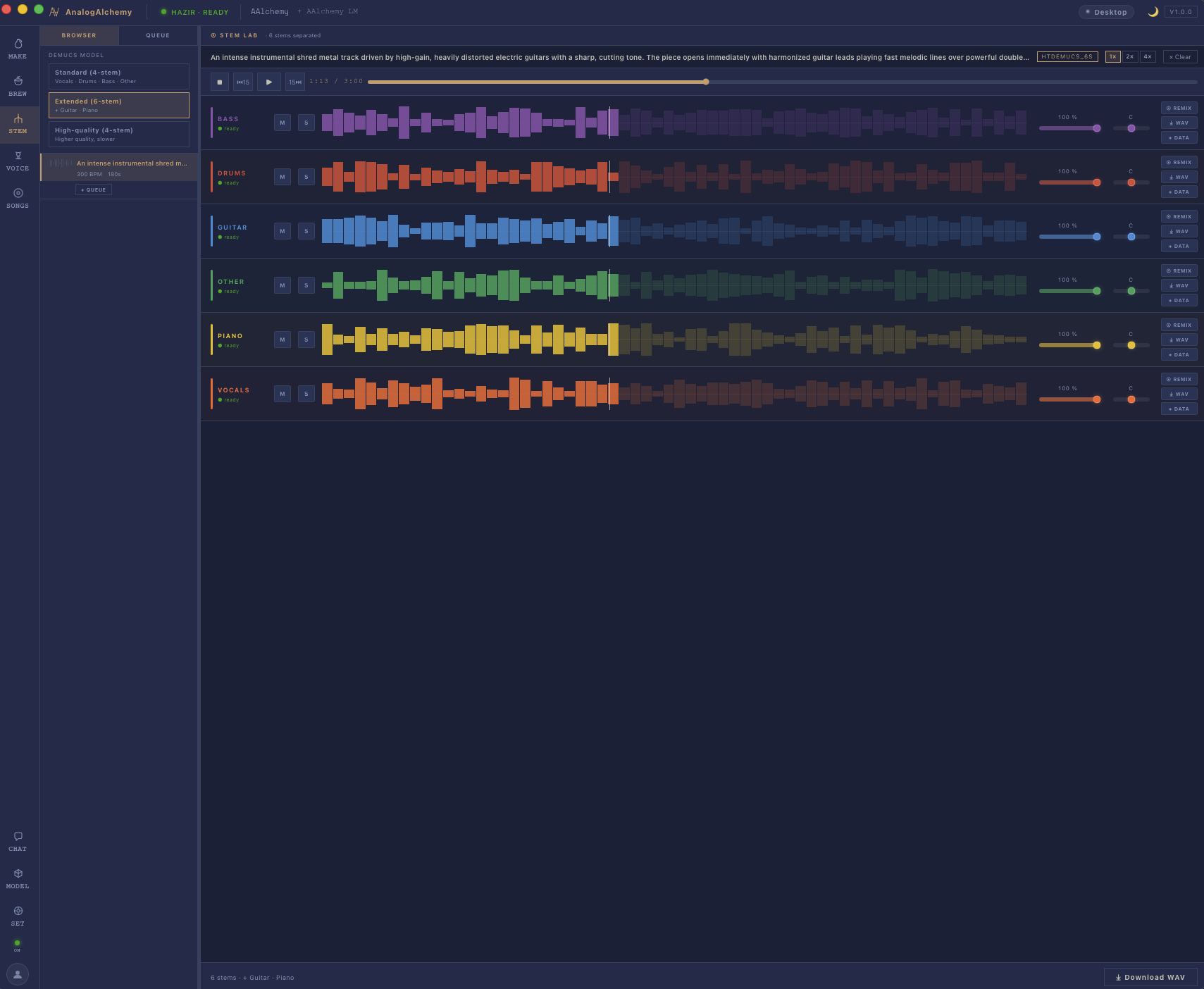
Stem separation — split it into stems.
Drop any track into the Demucs-powered Stem Lab and watch it split. Then mute or solo any stem and export the mix you choose — karaoke, instrumental, or drumless practice track, straight to WAV.
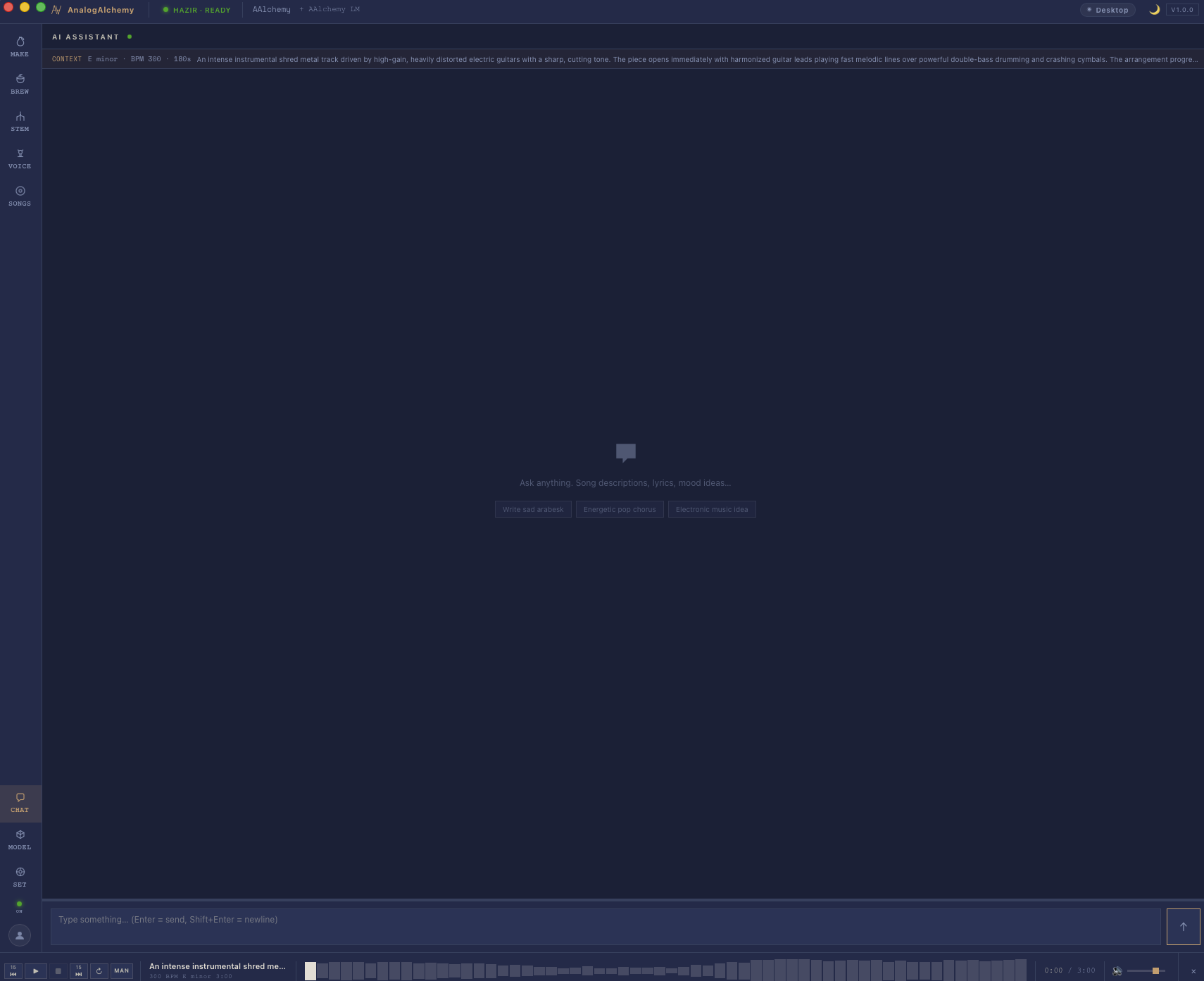
An assistant in the lab.
The built-in AI assistant already knows your track — key, BPM, structure, the full caption. Ask for sad arabesk lyrics or an energetic pop chorus and apply the answer straight to the song.
- ◆ CONTEXT-AWARE — reads the track you're working on
- ◆ LYRICS EDITOR — intro / verse / chorus / drop sections
- ◆ ADD YOUR VOICE — train a personal voice adapter
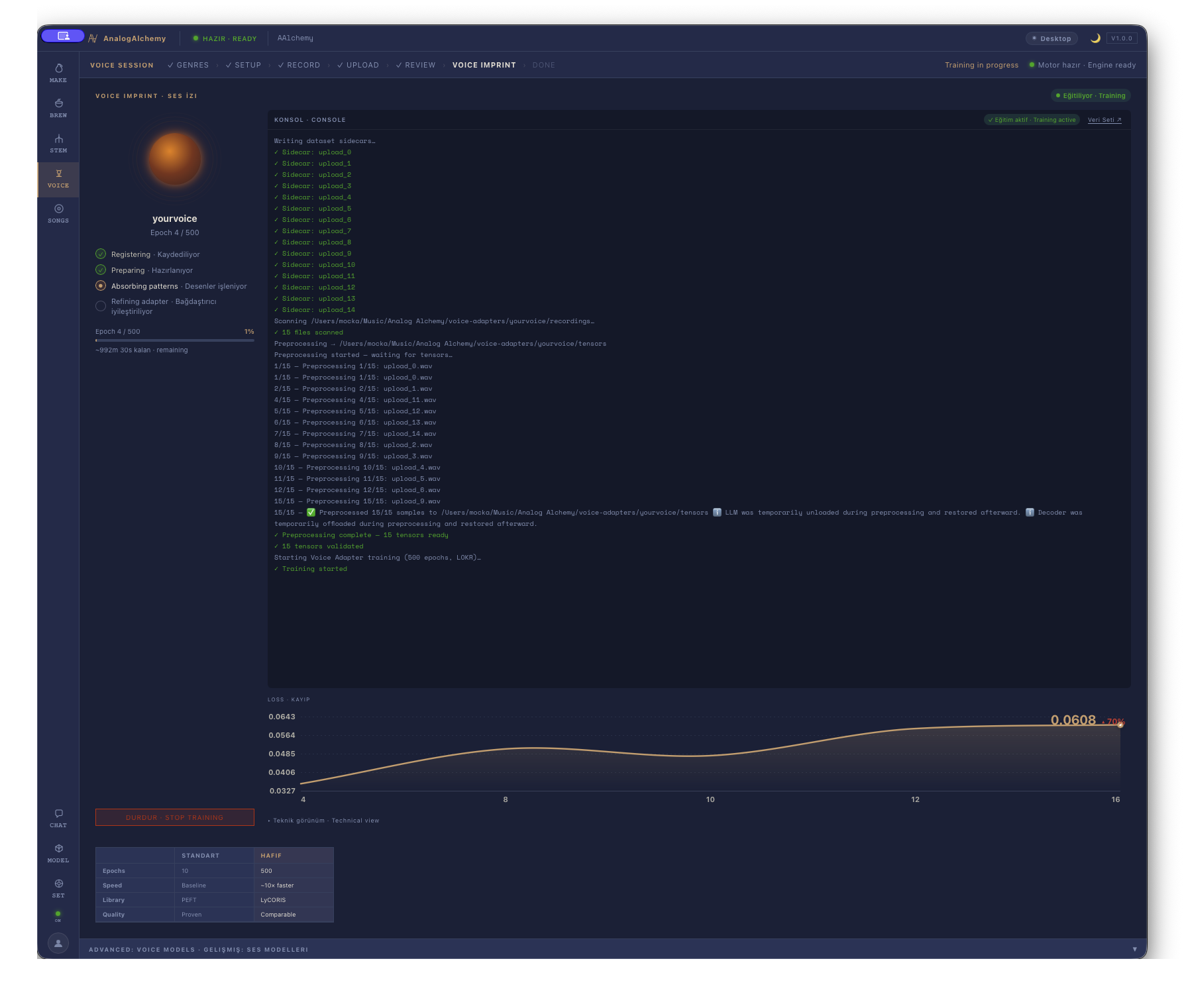
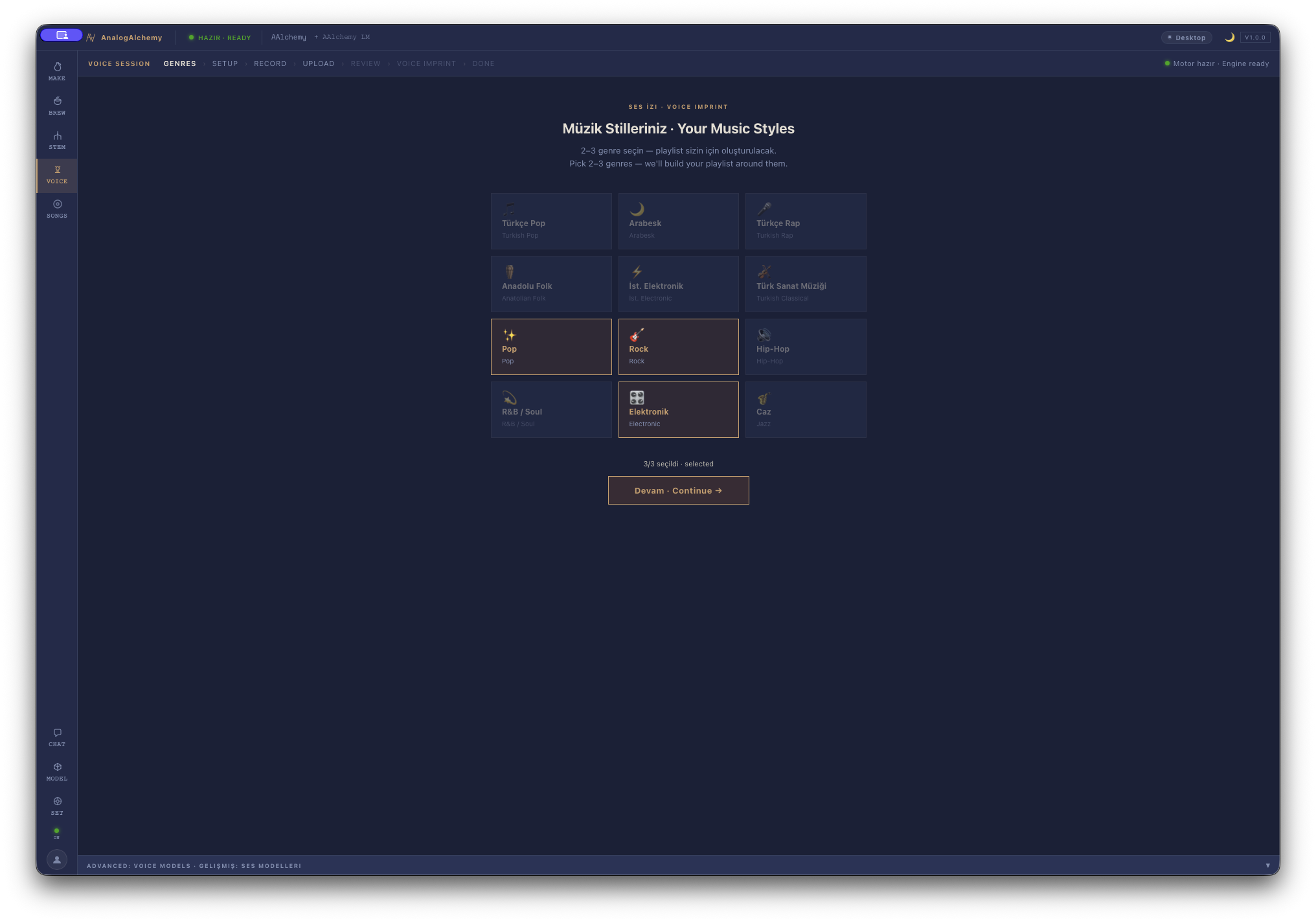
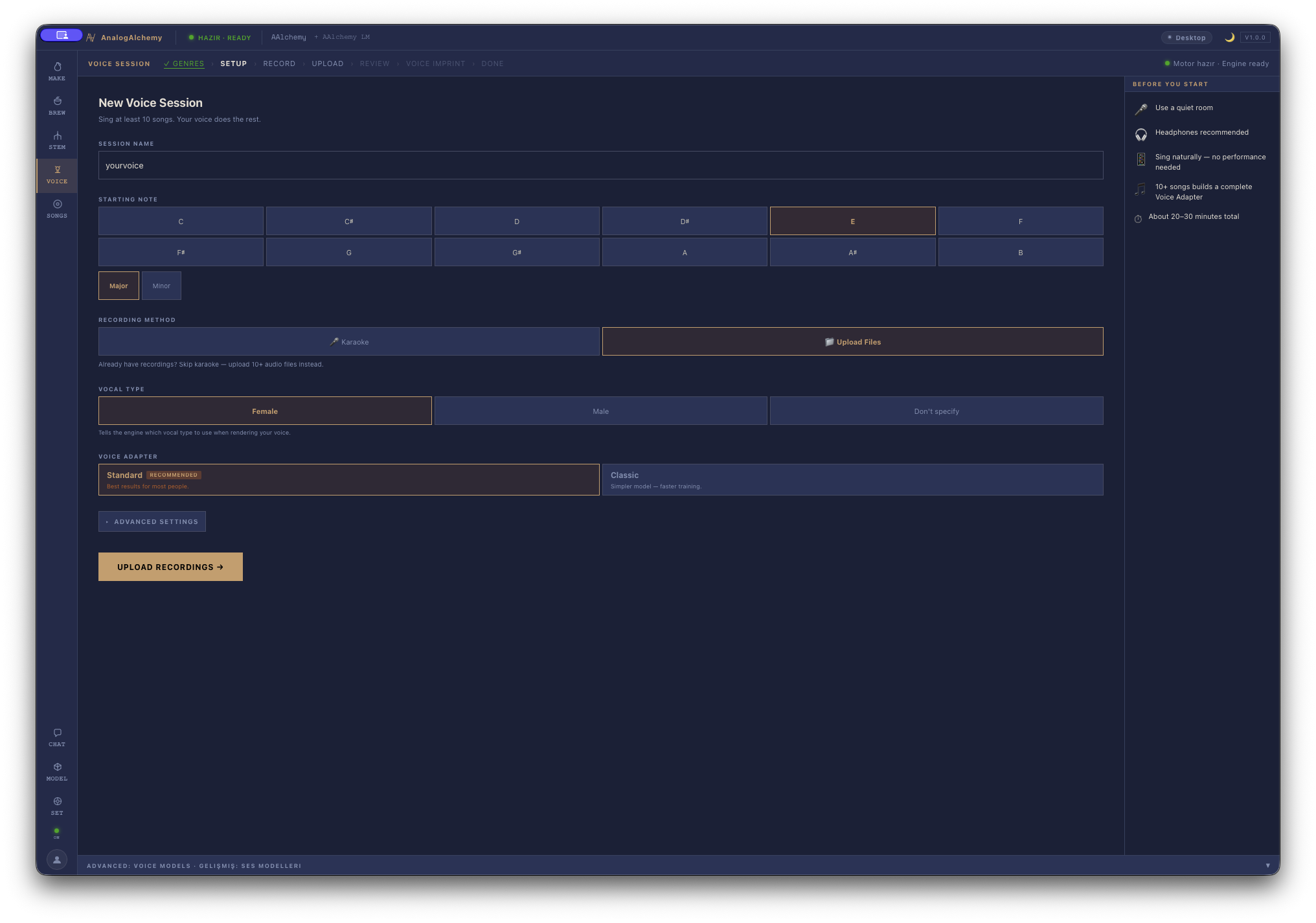
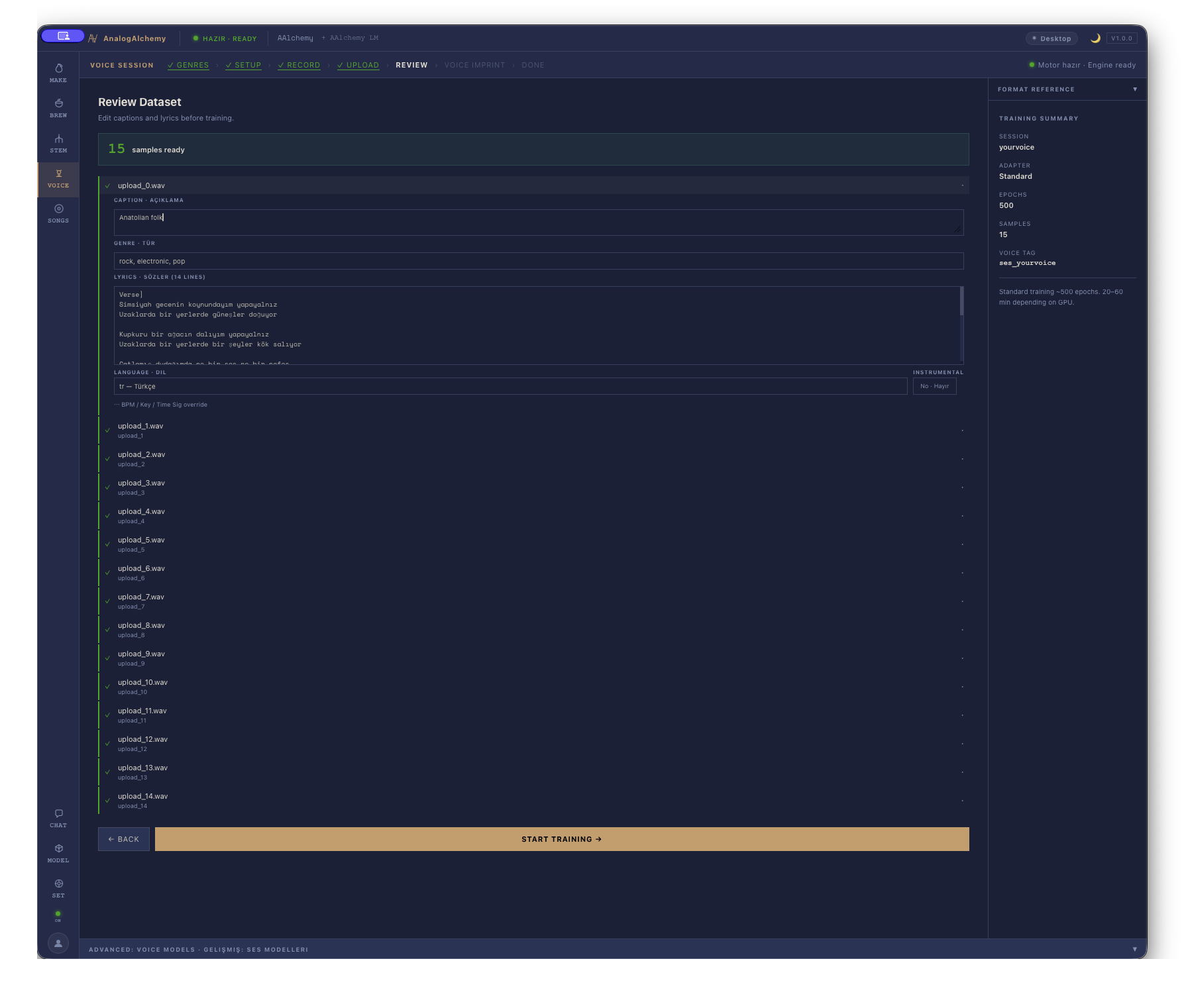
Teach it your voice — train it to sing like you.
Sing at least ten songs — karaoke style, or upload recordings you already have. AnalogAlchemy trains a personal voice adapter on your machine, then renders any future song in your voice.
- ◆ PICK YOUR STYLES — arabesk, pop, rock… the playlist builds itself
- ◆ RECORD OR UPLOAD — karaoke mode, or 10+ existing files
- ◆ WATCH IT LEARN — live console, loss curve, 500 epochs
- ◆ YOURS ALONE — trained locally, stored locally, never uploaded
Your machine is the laboratory.
Every model runs on your desktop. Your ideas never leave the building — no cloud, no queue, no monthly toll on your imagination.
offline
bytes sent to a server
combinations to explore
ways to shape a track
separated stems
click to WAV / MP3 / FLAC
Every experiment, archived.
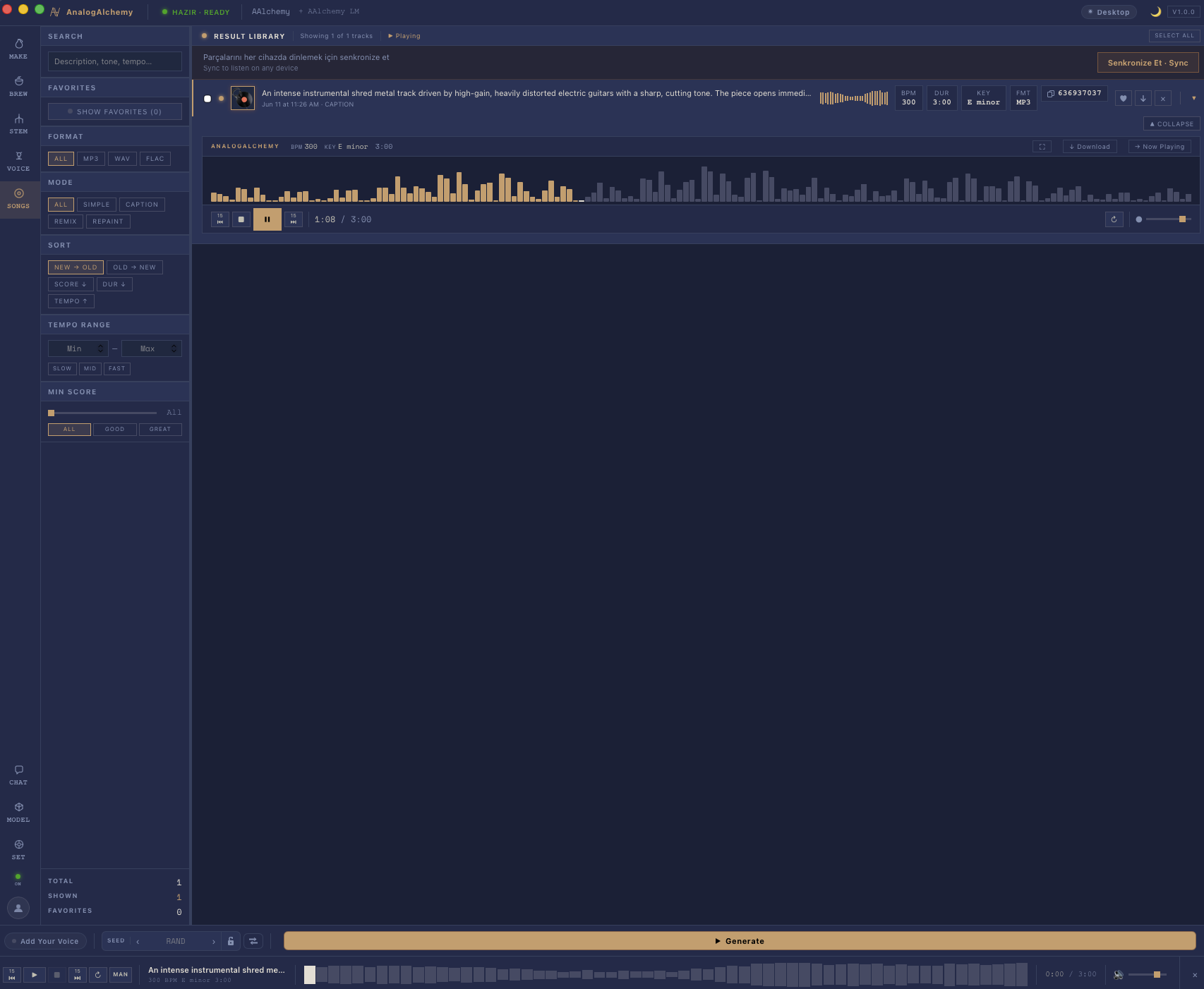
The Result Library keeps every take — searchable by description, tone and tempo, scored, sorted, and one tap away from playing on any device in the room.
- ◆ SEARCH & SCORE — find "that one take" instantly
- ◆ SYNC — listen on any device, instantly
- ◆ FORMATS — MP3 · WAV · FLAC, stems included
Made with the app. Hear it.
Real tracks generated in AnalogAlchemy — full songs, start to finish, on a Mac. Press play.
Questions & answers.
| MACOS | ⊞ WINDOWS | |
|---|---|---|
| OS | macOS 14+ | Windows 10 / 11 |
| GPU | Apple Silicon | NVIDIA RTX · 6 GB+ |
| RAM | 16 GB minimum · 32 GB recommended | |
| DISK | ~12 GB incl. models | |
| INTERNET | download only — then fully offline | |
Yes. After the first download, every model — generation, stems, voice — runs locally. Pull the network cable out and keep making songs.
They never leave your disk. Voice adapters are trained on your machine and stored in your own music folder.
MP3, WAV and FLAC for full mixes — plus each separated stem as its own WAV file.
A GPU makes generation roughly 10× faster, but it isn't mandatory — everything also runs on CPU, just more slowly.
Lyrics work in any language — arabesk to afrobeats. The interface itself speaks both English and Turkish.
One-time purchase: $99 — or $49 early-bird while the release candidate is out. Every download starts a free 14-day trial with everything unlocked. No account, no subscription, no cloud bill.
Yes — split any track into stems, mute the vocals for an instrumental or karaoke version (or keep only the vocals, or drop the drums) and export your custom mix as WAV. All offline, on your Mac.
EARLY-BIRD $99 $49 · ONE-TIME · 14-DAY FREE TRIAL
Begin the transmutation.
✓ You're on the list.
NO ACCOUNT · NO CLOUD · ONE-TIME PURCHASE